






Relying on spreadsheets and email chains to manage employee relocation documents is not just inefficient—it is a direct path to compliance failures, missed permit renewals, and costly regulatory fines. Global mobility teams operating across multiple jurisdictions face an especially acute version of this problem, where a single missed deadline can trigger legal exposure in two or three countries simultaneously. Centralized platforms and cloud-based systems are now recognized as essential infrastructure for modern mobility programs, replacing fragmented manual processes with real-time visibility and structured workflows. This article walks HR professionals and global mobility managers through the specific steps needed to modernize document management, from diagnosing current gaps to implementing automation and measuring results.
Key Takeaways
| Point | Details |
|---|---|
| Centralize document workflows | Moving to cloud platforms cuts manual errors, boosts visibility, and ensures global compliance. |
| Automate key tasks | Automated alerts, role assignments, and workflow monitoring streamline HR operations and tracking. |
| Monitor and refine processes | Use analytics and stakeholder feedback to continuously improve document management results. |
| Avoid common pitfalls | Prevent workflow errors by defining clear roles, using consistent naming, and tracking compliance. |
Why traditional document management fails HR mobility teams
Manual document management creates compounding problems that are easy to underestimate until a compliance audit or visa rejection forces the issue. When HR teams rely on shared drives, email attachments, and spreadsheets to track work permits, tax forms, and assignment letters, errors accumulate quickly. A single transposed expiration date or a misfiled document can delay an employee’s start date by weeks.
The financial cost is equally significant. Manual entry averages $5.68 per transaction, and that figure does not account for the downstream costs of errors, rework, or regulatory penalties. When you multiply that across hundreds of assignees in multiple countries, the cumulative burden becomes a serious operational liability.
Tracking renewals across jurisdictions compounds the difficulty further. Immigration rules, tax filing deadlines, and social security requirements vary by country and change frequently. Without automated alerts and centralized tracking, mobility teams are essentially managing compliance by memory and calendar reminders, which is neither scalable nor reliable. Reviewing expat document management challenges in detail reveals just how many failure points exist in a typical manual workflow.

The contrast between manual and cloud-based approaches is stark:
| Dimension | Manual/spreadsheet | Cloud-based platform |
|---|---|---|
| Error rate | High, due to manual entry | Low, with validation rules |
| Compliance tracking | Reactive, calendar-based | Proactive, automated alerts |
| Audit readiness | Time-consuming to compile | Instant, centralized records |
| Scalability | Breaks down at volume | Scales with assignee count |
| Analytics capability | Limited or absent | Real-time dashboards |
| Cost per transaction | $5.68 average | Significantly reduced |
As mobility analytics benchmarks from KPMG confirm, organizations that lag in analytics adoption tend to remain dependent on spreadsheets, which limits their ability to make strategic decisions. The shift to technology-enabled document management is not optional for teams that want to operate at scale—it is a prerequisite.
“Manual and spreadsheet-based systems expose mobility teams to delays and fines, while technology and AI enable a strategic focus. Yet some organizations still lag in analytics adoption.” — Globalization Partners
Now that we understand the scale and nature of the pain points, let’s look at what is needed to begin transforming document management.
Preparing for streamlined document management
With a clear understanding of why change is needed, let’s prepare your teams and systems for a successful transition. The first step is an honest assessment of your current document process. Map every document type your team manages—visas, work permits, tax equalization letters, assignment agreements, dependent documentation—and identify where each one is stored, who owns it, and how renewals are tracked.
Stakeholder alignment is equally important. Define clear roles before any platform is selected. Who is responsible for document intake? Who approves submissions? Who monitors expiration alerts? Structured workflows covering intake, roles, execution, and monitoring are the foundation of any successful document management program, and those workflows must be designed before technology is layered on top.
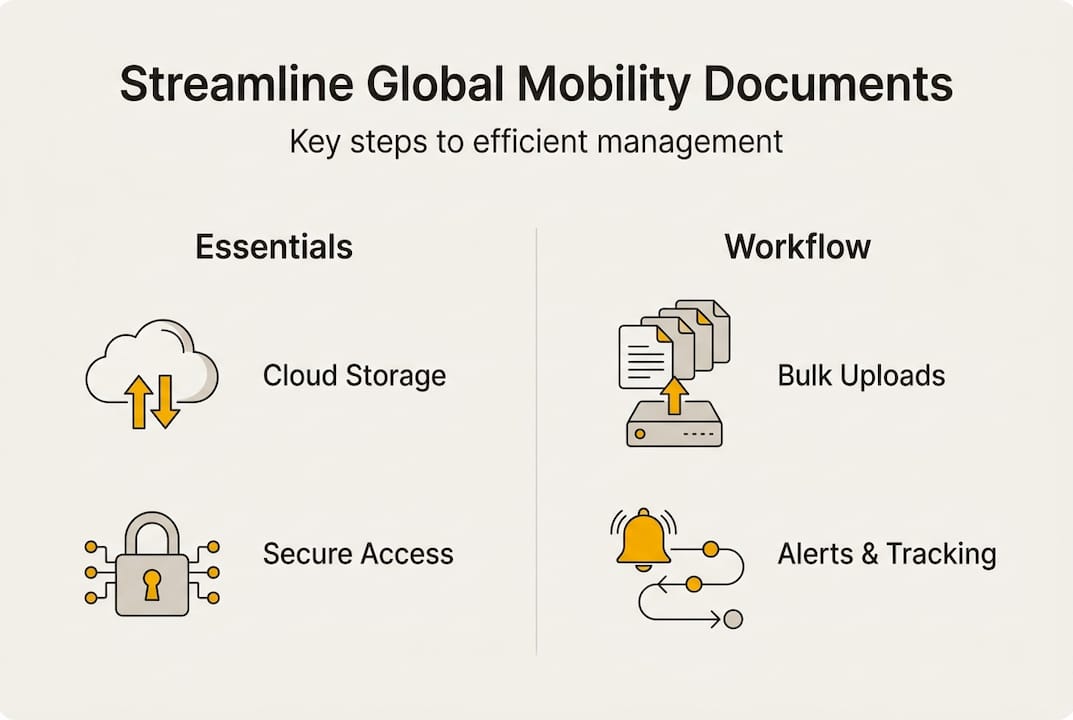
When evaluating platform options, prioritize the following core features:
- End-to-end encryption for document storage and transmission
- HRIS integration to sync employee data without duplicate entry
- Workflow automation for task assignment, approvals, and deadline tracking
- Configurable expiration alerts with adjustable lead times
- Role-based access controls to protect sensitive immigration and tax data
- Audit trail logging for compliance verification
- Bulk document upload to handle group moves efficiently
Tools like EY Mobility Pathway and xpath.global’s own platform offer many of these capabilities within a unified interface. Reviewing mobility optimization tools can help your team benchmark options against your specific program requirements.
Pro Tip: Before issuing an RFP for a new platform, document your current workflow in a process map. This exercise almost always surfaces redundant steps and ownership gaps that need to be resolved before any technology can be effective.
| Feature | Why it matters |
|---|---|
| Encryption | Protects sensitive personal and legal data |
| HRIS integration | Eliminates duplicate data entry |
| Workflow automation | Reduces manual coordination effort |
| Expiration alerts | Prevents missed renewals and compliance gaps |
| Role-based access | Limits data exposure to authorized users |
| Audit trail | Supports regulatory and internal audits |
| Bulk upload | Enables efficient group move processing |
For teams seeking a broader framework, HR document management mastery provides additional guidance on building a scalable, compliant document infrastructure.
Step-by-step implementation: Building a streamlined workflow
Once you have completed the prep work, it is time to execute your new document management process. A structured, phased approach reduces disruption and ensures that nothing falls through the cracks during the transition.
- Define your workflow stages. Map the full lifecycle: intake (document request and collection), processing (review, validation, submission), monitoring (expiration tracking, renewal alerts), and archiving (retention and deletion schedules).
- Configure your platform. Set up employee profiles, assign document categories, and establish folder structures with consistent naming conventions. Apply metadata tagging to every document type so that search and reporting functions work accurately.
- Establish version control. Every document update must be logged with a timestamp and user ID. Previous versions should be retained but clearly marked as superseded to prevent confusion during audits.
- Set up automated alerts. Configure expiration reminders at 90, 60, and 30 days for visas, work permits, and tax filing deadlines. Assign each alert to a specific owner so accountability is clear.
- Apply role-based access controls. Restrict document visibility based on job function. Immigration case managers should not have access to payroll records, and vice versa. Best practices for access control include regular access reviews to remove permissions for employees who change roles.
- Run a pilot with a defined assignee group. Test the workflow with a small cohort before full deployment. Identify gaps in naming conventions, alert timing, and approval routing.
- Train all stakeholders. Provide role-specific training for HR administrators, immigration coordinators, and employees using the self-service portal. Document the process in a standard operating procedure that can be updated as the program evolves.
Pro Tip: Use your pilot phase to stress-test bulk upload functionality. Group moves involving 20 or more employees will expose any weaknesses in your metadata tagging and folder structure before they become a problem at scale.
For teams managing the full relocation lifecycle, digitalized employee relocation tools and compliance management on assignments provide additional frameworks for integrating document management into broader mobility workflows. Referencing the HR document management guide from Globalization Partners also offers useful benchmarks for workflow design.
Tracking and verifying document management success
After implementing your workflow, it is critical to track progress and verify the strategic value. A well-configured platform should surface compliance status, document completeness rates, and upcoming deadlines through a real-time dashboard. If your team is still compiling these metrics manually, the system is not yet delivering its full value.
Key metrics to monitor include:
- Document completeness rate per assignee and per case
- Expiration alert response time (how quickly alerts are acted upon)
- Compliance rate across jurisdictions (percentage of documents filed on time)
- Manual intervention rate (how often automated workflows require human override)
- Average processing time per document type
The data on this point is sobering. 72% of mobility teams report difficulty scaling their analytics capabilities and continue to rely on spreadsheets for reporting. This is a significant gap, because teams that cannot measure their compliance performance cannot improve it systematically. Centralizing data in a single platform is the prerequisite for meaningful HR analytics that drive program decisions.
Case study evidence reinforces the value of unified platforms. Group moves managed through consolidated systems achieve success rates of 89 to 95%, compared with significantly lower rates for programs managed through fragmented tools. Organizations like Weichert have demonstrated that consolidating expatriate data management into a single system enables scalable program growth without proportional increases in administrative headcount.
“Unified platforms reduce manual effort and improve visibility across the full assignment lifecycle, enabling mobility teams to shift from reactive administration to strategic program management.”
Feedback loops are equally important. Solicit structured input from HR administrators, immigration coordinators, and relocating employees at regular intervals. Their experience with the system will surface friction points that dashboards alone cannot detect. Review the mobility benchmarking survey from KPMG annually to benchmark your program’s performance against industry peers.
Common mistakes and troubleshooting
Even with the best systems, mistakes and obstacles can occur. The most frequent failure point is unclear role definition. When multiple team members believe they share ownership of a document category, renewals get missed because everyone assumes someone else is handling it. Defining ownership at the document type level, not just the case level, eliminates this ambiguity.
Other common mistakes include:
- Inconsistent naming conventions. If different team members apply different file naming formats, search and reporting functions break down. Enforce a single standard from day one.
- Neglecting compliance reminders. Alert fatigue is real. If every notification carries the same urgency level, critical reminders get ignored. Tier your alerts by severity and escalation path.
- Skipping version control. Teams under pressure often save over existing files rather than creating a new version. This destroys the audit trail and creates compliance risk.
- Inadequate access reviews. Permissions granted during onboarding are rarely reviewed. Former employees or employees who have changed roles may retain access to sensitive documents.
For troubleshooting bulk upload issues, verify that metadata fields are consistently populated before upload. Missing or inconsistent metadata is the most common cause of failed imports. For access control problems, run a quarterly permissions audit against your current org chart.
Expert guidance on document management tips consistently emphasizes early role definition as the single highest-impact action a mobility team can take. KPMG’s global mobility benchmarking report further recommends using predictive analytics to identify compliance risks before they materialize, rather than responding to failures after the fact. Reviewing document management mistakes specific to expat programs can also help teams anticipate and prevent the most common failure patterns.
Pro Tip: Schedule a quarterly document management review with all stakeholders. Use the session to audit naming convention compliance, review alert response times, and update ownership assignments for any roles that have changed.
Connect with expert solutions for global mobility
Modernizing document management is a strategic investment that pays dividends in compliance reliability, operational efficiency, and employee experience. xpath.global’s unified platform brings together workflow automation, real-time compliance tracking, and analytics in a single environment designed specifically for global mobility programs.
Whether you are building a document management framework from scratch or optimizing an existing program, mobility technology solutions from xpath.global provide the infrastructure to manage international assignments at scale. Explore employee relocation steps and proven frameworks, or connect with HR experts at xpath.global to discuss how the platform can be configured to meet your organization’s specific compliance and workflow requirements.
Frequently asked questions
What are the core features of a document management platform for global mobility?
Essential features include secure cloud storage, workflow automation, version control, role-based access, metadata tagging, and integration with HR systems. These capabilities together ensure compliance visibility and reduce manual coordination across jurisdictions.
How can HR teams track compliance across multiple jurisdictions?
HR teams should use automated platforms with configurable expiration alerts, bulk document upload, and real-time reporting dashboards to ensure global compliance. Centralized tracking eliminates the reliance on calendar reminders and manual follow-up.
What is the ROI of switching to cloud-based document management?
Switching reduces compliance time and cost significantly, with AI cutting compliance costs by up to 95% in some programs, while also reducing the average manual entry cost of $5.68 per transaction. The result is a measurable shift in HR capacity toward strategic work.
How can document management automation help with employee relocations?
Automation streamlines tracking of visas, permits, and renewals by sending configurable expiration alerts and consolidating all assignment data in one place. This improves both compliance reliability and the overall employee relocation experience.
What should HR avoid when modernizing document workflows?
Avoid unclear role assignments, inconsistent naming conventions, and neglecting compliance reminders. Defining clear roles early and using predictive analytics to surface risks before they escalate are the two highest-impact actions a mobility team can take during modernization.